Factory Verification, Procurement Guides, Sourcing Tips

How to Buy HDMI Cables from China: 9 Mistakes to Avoid

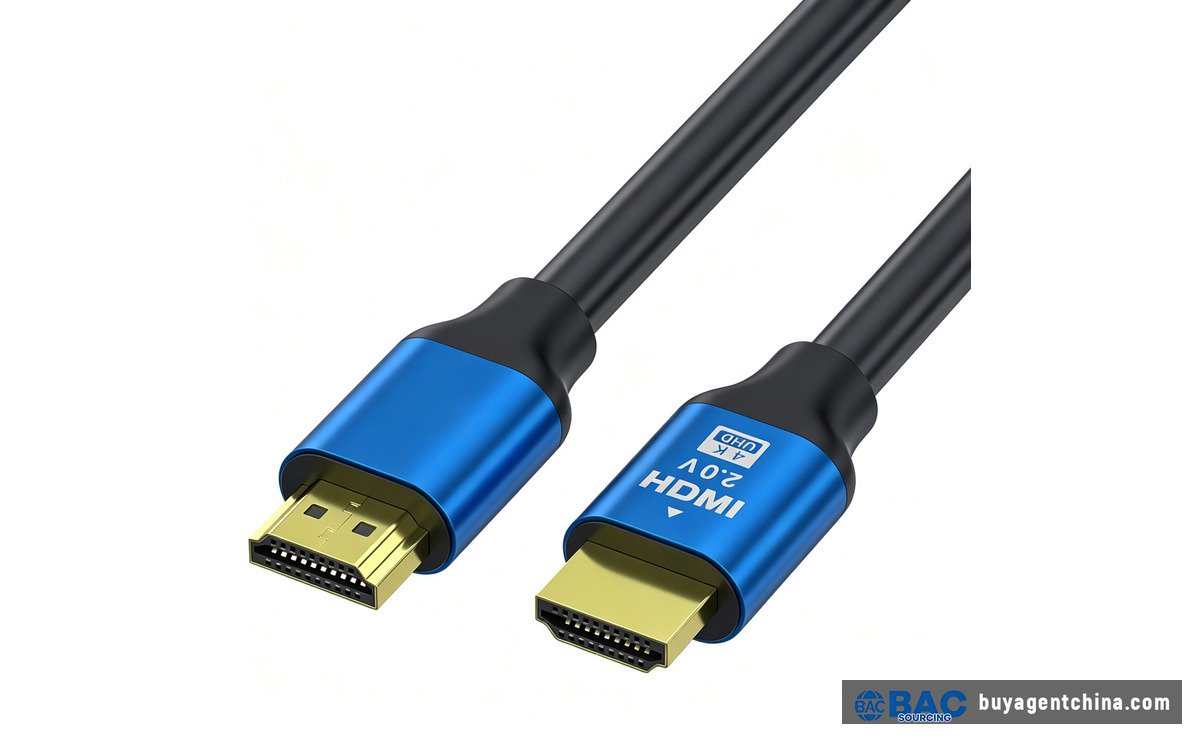
Standard HDMI 2.0 cable with blue metal connector housing — mid-range PVC jacket

China makes most of the world’s HDMI cables; certified 48Gbps Ultra High Speed cables run about USD 1.20–4.00 FOB, and the HDMI QR label is the only real guarantee.

1. Why HDMI Cables Are the Most Faked Electronic Accessory You Can Import

Walk into any electronics retailer and HDMI cables run from two dollars to eighty. Plug either one in and you get a picture — at 1080p, that is. The moment your customer connects a PS5, an RTX 4090, or an 8K television, the two-dollar cable blacks out, flickers, or fails the handshake entirely.

What makes this category special is that the performance gap is invisible. A copper cable and a certified 48Gbps cable look identical in a product photo. The difference hides in three places: conductor purity, wire gauge, and — above all — whether the cable actually passed testing at an HDMI Authorized Test Center.

HDMI Licensing Administrator (HDMI LA) runs the standard. They have multiple authorized test labs in Shenzhen, including Granite River Labs, Simplay Labs, and Allion Labs. Since 2021, HDMI LA has been running factory raids and cross-border enforcement with customs and law enforcement against counterfeit HDMI products. That tells you something: the counterfeit problem is bad enough that the standards body itself has to show up with customs.

As a sourcing agent, I watch buyers search “HDMI 2.1 cable” on 1688, pick the ¥7.8 listing because the title says “8K 60Hz 48Gbps,” and place an order. The cable lights up — until the customer pushes it to a high-bandwidth scenario. The nine mistakes below are the ones I help buyers catch before the container ships.

2. Mistakes 1–2 — What the Box Says (and What It Doesn't)

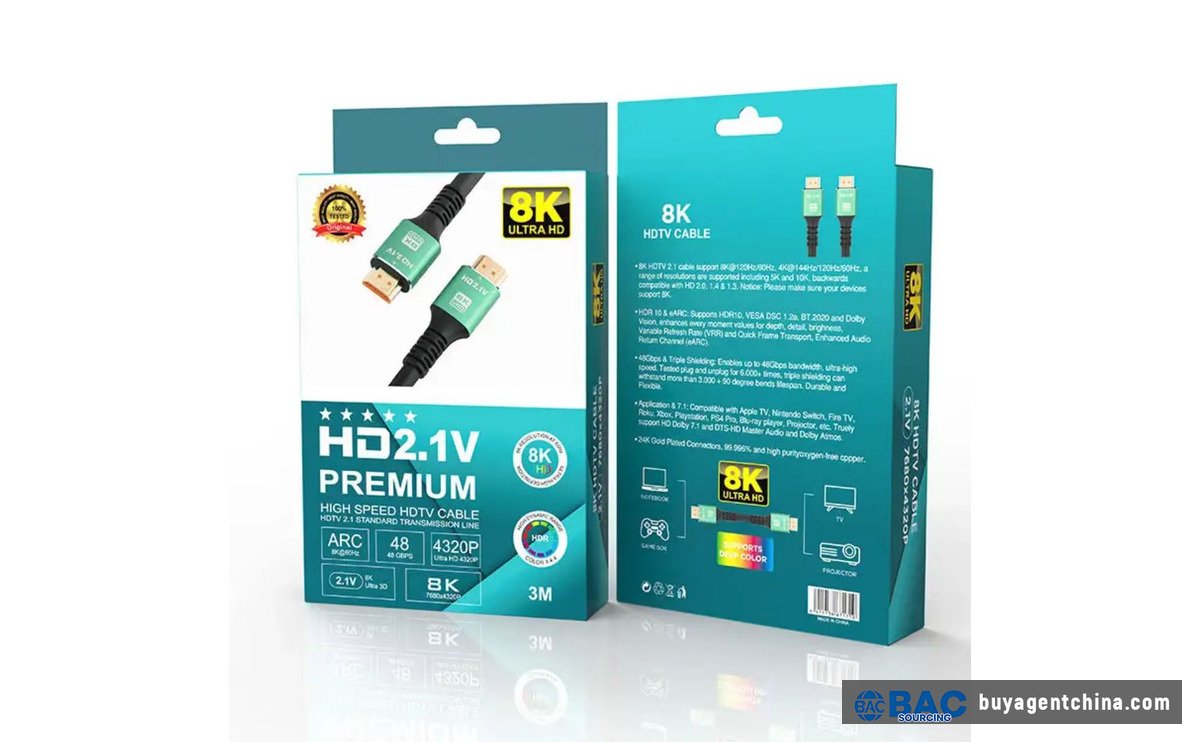
Retail packaging for an 8K HDMI 2.1 cable — note the version number printed on the box

etail packaging for an 8K HDMI 2.1 cable — note the version number printed on the box

2.1 If the Package Says "HDMI 2.1", That Is a Red Flag

This runs against intuition. HDMI Licensing Administrator’s own guidance is explicit: genuine HDMI cable packaging does not list a version number. If you see “HDMI 2.1” or “HDMI 2.0” printed on the box, that is not a sign of professionalism — it is a counterfeit signal.

Here is why. HDMI 2.1 is a specification, not a cable certification category. The compliant way to label a cable is to use the HDMI-certified category name: “Standard HDMI Cable,” “High Speed HDMI Cable,” “Premium High Speed HDMI Cable,” or “Ultra High Speed HDMI Cable.”

A Chinese factory that prints “HDMI 2.1” on the box is either one of two things: a small shop that has never read the HDMI labeling rules (common), or a factory that has read them and prints the version number anyway — because that is what overseas buyers type into the search box. Either way, whether the cable actually passed 48Gbps certification is an open question.

2.2 The Ultra High Speed QR Label Is the Only Proof

When HDMI 2.1 launched in 2020, HDMI LA introduced the Ultra High Speed HDMI Cable certification label. It has three identifying features:

– It says “Ultra High Speed HDMI Cable” — not “HDMI 2.1”

– It carries a unique QR code

– It verifies against the HDMI LA database through the official mobile app

– It includes holographic anti-counterfeit elements

Scan a fake label and the app finds no match. That is the whole test.

DetailUncertified CableCertified Ultra High Speed Cable
Box says“HDMI 2.1” version number“Ultra High Speed HDMI Cable” category
QR labelNone, or a printed fakeHDMI LA holographic QR label
Bandwidth guaranteeClaims 48Gbps, untestedATC-verified 48Gbps
eARC / VRR / ALLMVerbal claim, untestedSpec-mandated and verified
Customs / enforcement riskSeizure possibleCompliant
FOB price differenceBaseline~15–30% higher

What to do: In your first inquiry, ask for a photo of the actual certification label and the ATC test report. If the supplier says “we can print that label for you” — end the conversation. That is not certification; that is trademark infringement.

3. Mistakes 3–4 — What's Inside the Jacket

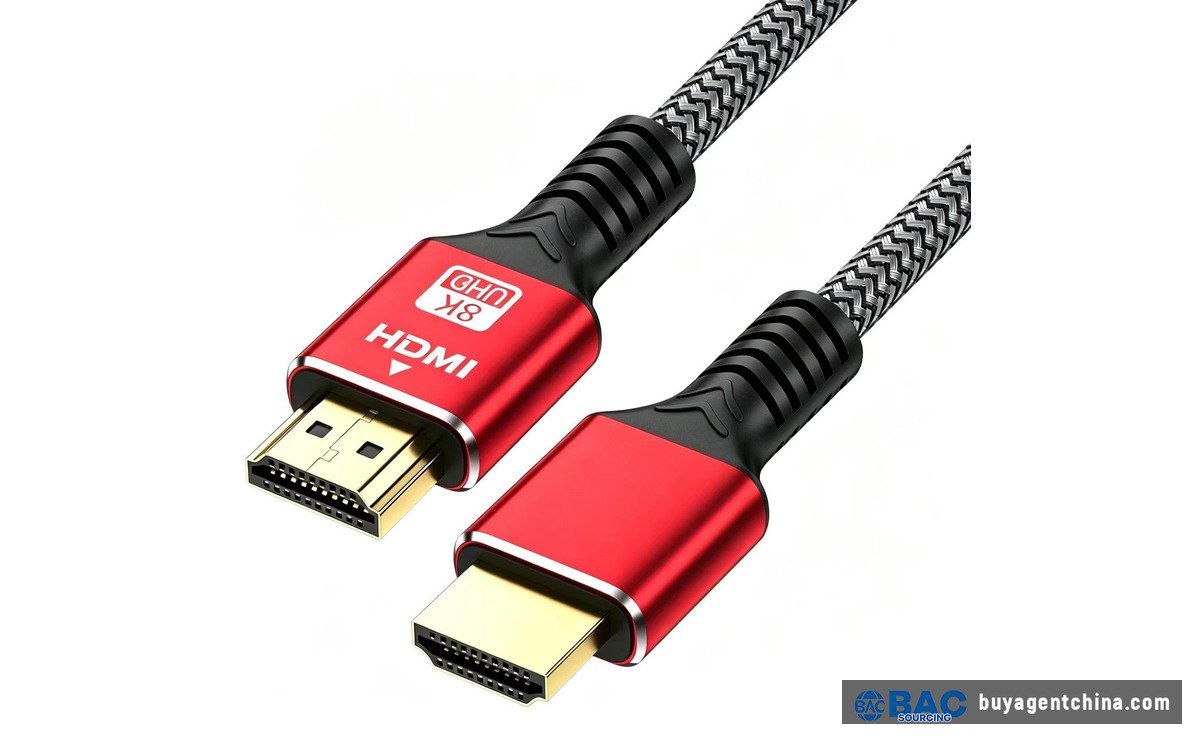
Premium braided HDMI 8K cable with red metal connectors — the tier buyers expect at retail

Premium braided HDMI 8K cable with red metal connectors — the tier buyers expect at retail

3.1 CCS Conductors Sold as Pure Copper

This is the oldest corner-cutting trick in the HDMI cable industry. There are three common conductor materials:

– Bare copper (BC): best signal, highest cost

– Copper-clad aluminum (CCA): 30–40% cheaper, noticeable high-frequency loss

– Copper-clad steel (CCS): cheapest, stiff, worst high-frequency performance

The problem: from the outside, all three look like copper. Strip the jacket, pull out the conductor, and you can tell — bare copper is reddish, CCA leans pale, and CCS shows a silvery steel core in cross-section.

A “HDMI 2.1 cable” built with CCS conductors may genuinely push 4K@60Hz at 1 meter. Push it to 3 meters or run 4K@120Hz and the signal gets unstable. Your customer on Amazon will not write in their one-star review that “the conductor is CCS.” They will write “cable doesn’t work.”

What to do: Specify “bare copper conductor” in writing. Do not accept the vague term “copper conductor.” During inspection, strip the outer jacket near the connector on a sample and look at the conductor color.

3.2 AWG Gauge Decides How Far the Signal Goes

AWG (American Wire Gauge) is the standard for conductor thickness. Lower number = thicker wire:

– 24AWG: thick, runs passive copper up to 10–15 meters

– 28AWG: thin, reliable up to 3–5 meters

– 30AWG: ultra-thin, only for 0.5–1 meter short jumps

A cable specced at 28AWG pulled 10 meters to an 8K television will lose signal. That is not a defect — that is a spec mismatch.

Conductor SpecEntry LevelMid-RangePremium Certified
MaterialCCS copper-clad steelCCA copper-clad aluminumBare copper
Gauge30AWG28AWG24–26AWG
Max recommended length1 m3 m7–10 m (passive)
Actual bandwidth1080p4K@30Hz4K@60Hz / 8K@60Hz (certified)
1688 reference price¥2.6–4¥5–8¥15–35 (certified)

4. Mistakes 5–6 — Copper vs Active Fiber at the Wrong Meter

HDMI cables come in two completely different technology paths: passive copper and Active Optical Cable (AOC).

Passive copper is the standard HDMI cable you buy. It carries the signal over copper conductors, needs no external power, and works out of the box. But it has a physical limit — at 48Gbps, reliable passive copper runs top out around 3–5 meters. Beyond that, signal attenuation causes packet loss and the television starts flickering or goes black.

Active Optical Cable (AOC) uses fiber inside, not copper. The source end converts electrical signal to light, the fiber carries it, and the display end converts it back. The advantage: bandwidth does not degrade with distance — a 48Gbps AOC runs 30 meters, 50 meters, even 100 meters at the same quality as 1 meter. The trade-off: it costs more, and because of the optical chips at each end, the connectors are directional (Source end to display end, cannot reverse).

DetailPassive CopperAOC Fiber Optic
Transmission mediumCopper conductorOptical fiber
48Gbps max distance3–5 m (24AWG)30–100 m+
External power neededNoBuilt-in chips, HDMI bus-powered
DirectionalNo, either wayYes, Source → Display
FlexibilityGood, bends easilyStiffer, fiber cannot kink sharply
1688 price (10 m)¥15–30 (actual bandwidth discounted)¥63–200+ (true 48Gbps)
Best applicationDesktop / PC to monitor, 1–3 mConference room / projection / LED wall, 10 m+

Mistake 5: Buying passive copper for a 20-meter conference-room projection. Your customer discovers the signal drops on installation day.

Mistake 6: Spending AOC money on a 2-meter desktop cable. Under 3 meters, passive copper is fully sufficient, and the AOC’s optical conversion chips add a failure point.

What to do: Start with the distance. Under 3 meters, certified copper. Over 10 meters, AOC fiber. Between 5–7 meters, depends on bandwidth — 4K@60Hz can try thick-gauge (24AWG) passive; 8K@60Hz or 4K@120Hz goes straight to AOC.

5. Mistakes 7–9 — Connectors, Plating, and Feature Gimmicks

5.1 Gold-Plated Connectors Are a Marketing Story

You see “24K gold-plated connectors” in the product listing and assume premium. In reality, the gold plating on HDMI connector contacts is typically a few microns thick. Its effect on signal transmission is measured in microseconds. It does help prevent oxidation, but is it worth a two-dollar price bump? Most of the time, no. What matters more than gold plating is whether the internal strain relief at the connector is properly molded — after a hundred plug-unplug cycles, a poorly fixed connector comes loose inside.

5.2 "eARC / VRR / ALLM Support" Goes in the Spec Sheet

The HDMI 2.1 specification includes several key features: eARC (enhanced Audio Return Channel), VRR (Variable Refresh Rate), ALLM (Auto Low Latency Mode), and QMS (Quick Media Switching). An uncertified cable that pushes 48Gbps may still not reliably support these features — they require additional channels and chip handshakes.

What to do: List the required features explicitly in your spec sheet and get written confirmation. “We support it” on a voice call does not count.

5.3 Connector Shape Matters for Installation Space

Standard HDMI Type-A connectors are rectangular, and some devices — like a wall-mounted television — have almost no clearance behind the panel. That is when you need an angled connector or a short cable. This does not cause returns per se — but it does cause the customer to email you on installation day saying the cable does not fit. Plan for connector orientation (straight / left-angled / right-angled / up / down) before you order, not after the customer complains.

6. Factory Map — Where HDMI Cables Actually Get Made

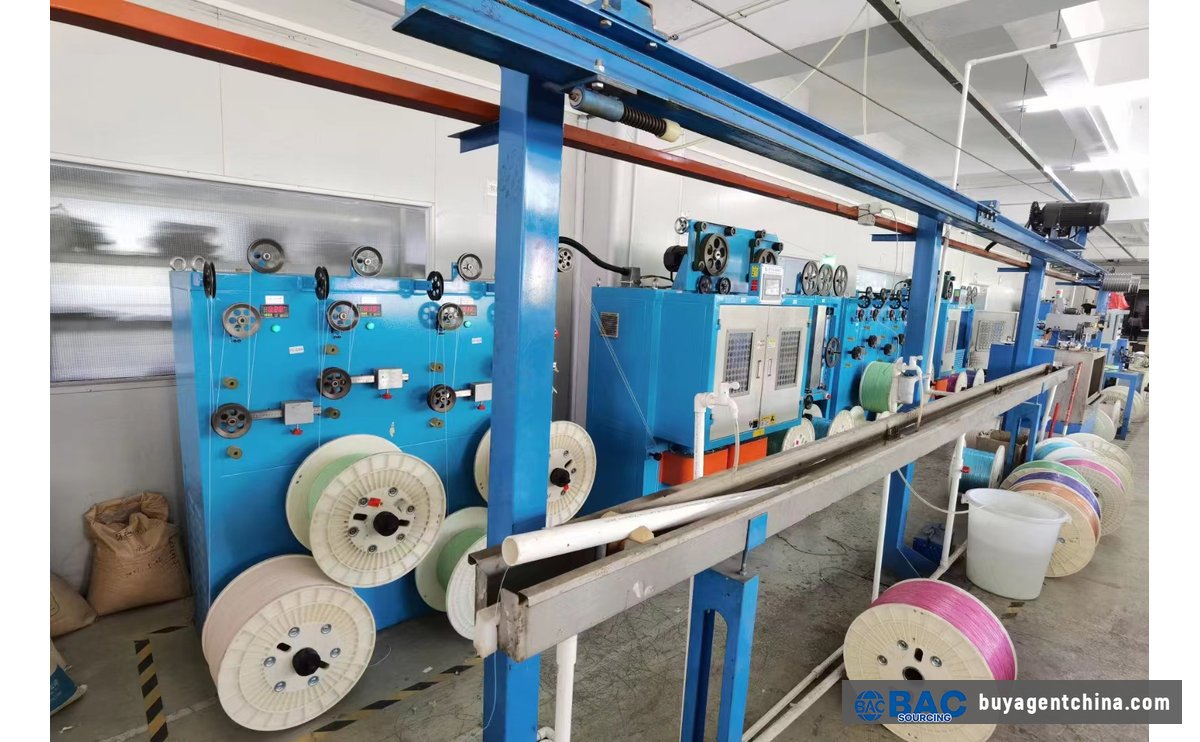
Wire extrusion line in a Dongguan cable factory — copper conductor gets its jacket here

Wire extrusion line in a Dongguan cable factory — copper conductor gets its jacket here

HDMI cable manufacturing is almost entirely concentrated in the Pearl River Delta, with a few satellite clusters:

RegionPositioningStrengthsBest For
Dongguan / ShenzhenFull-category hubEverything from ¥2.6 entry cables to ¥200 8K AOC; HDMI ATC labs in ShenzhenAll categories, especially certified high-end
ZhongshanVolume / low-endLowest price, large stock lots1080p / 4K@30Hz bulk orders
NingboExport-trade orientedMature export documentation, clean FOB quotingMid-budget orders needing full export paperwork
Changzhou / HunanAOC fiber specialistsFiber-optic supply chain, cost advantage on AOC10 m+ fiber optic long-run cables

Send the same spec sheet to suppliers in three clusters and the quotes can easily double — because each cluster interprets “HDMI 2.1” differently. A Dongguan factory will ask you “do you want Ultra High Speed certification? QR label included?” A Zhongshan factory will quote ¥3.5 and ask “do you want us to print our own brand on the box?”

That is not right or wrong — it is clusters serving different customers. Your job is to pick the cluster that matches your target market and price point.

7. Price Ladder — What You Actually Pay by Type

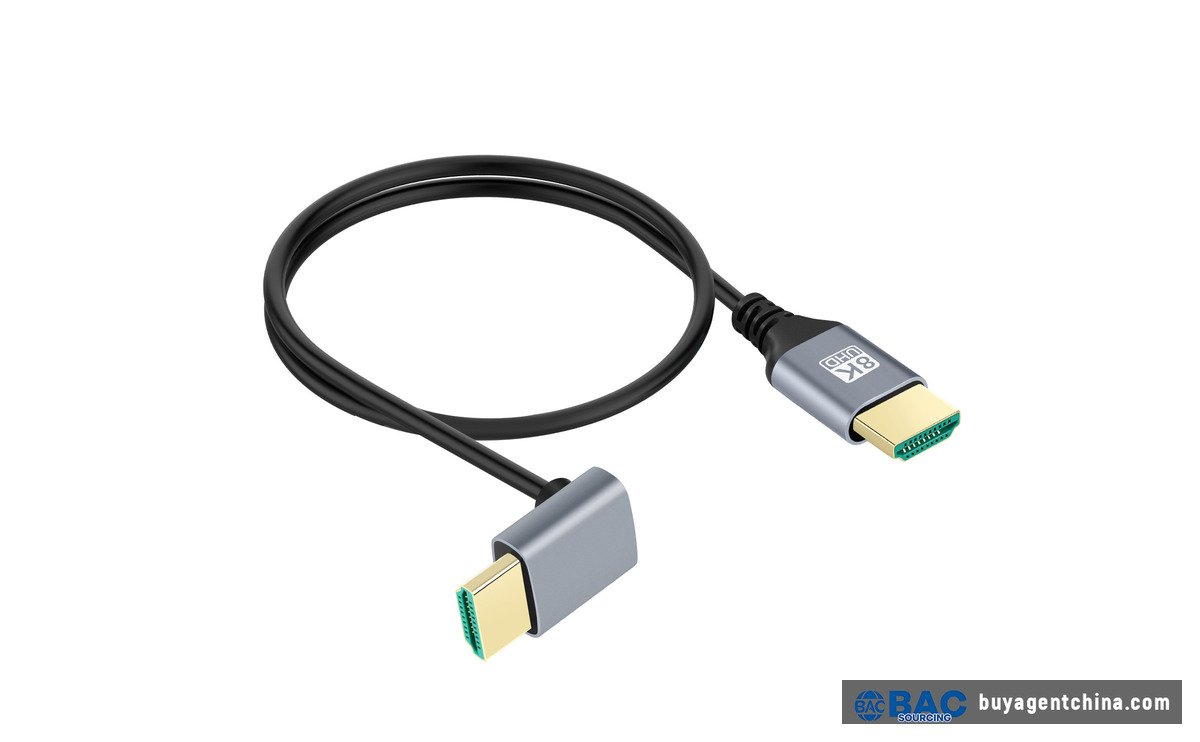
Short grey HDMI 8K cable in PVC jacket — compact desktop form factor

Short grey HDMI 8K cable in PVC jacket — compact desktop form factor

Cable TypeSpec1688 PriceFOB PriceMOQ
Basic PVC 1.41080p, 1 m, CCS conductor¥2.6–4$0.35–0.60100–500
Standard 2.0 copper4K@30Hz, 1–3 m, CCA conductor¥5–8$0.70–1.20100–500
Braided 2.04K@60Hz, 1–3 m, bare copper¥8–15$1.20–2.50100–500
Certified Ultra High Speed48Gbps, 8K@60, QR-certified¥15–35$2.00–4.50200–1,000
Uncertified 2.1 copperClaims 48Gbps, no QR label¥7.6–12$1.00–1.80100–500
AOC fiber 4K4K@60, 10–30 m¥44–200$6–2810–100
AOC fiber 8K48Gbps, 30–100 m¥191–325$27–4510–50

Look at that “uncertified 2.1 copper” row. It costs 40–50% less than the certified version. That is exactly why buyers fall into the trap: both listings say “HDMI 2.1 8K 48Gbps,” and one costs half as much. The buyer naturally picks the cheaper one. Whether that uncertified cable holds 4K@120Hz reliably is entirely up to the factory’s conscience.

8. Direct Sourcing vs Using an Agent

DetailDirect from FactoryWith a Sourcing Agent
Finding suppliersSearch 1688 / Alibaba yourself, message 20 suppliersAgent filters 3–6 factories to your spec
Factory verificationVideo tour or noneOn-site visit or third-party QC
Price negotiationDirect, but you do not know the floorAgent knows the price range for this category
Certification checkYou judge the QR label yourselfAgent verifies ATC test reports and certification numbers
InspectionMostly trustAQL 2.5 sampling, strip jacket to check conductor
CommunicationFactory sales rep’s English works but tech specs driftAgent reads the spec sheet on the factory floor
Best forOrders >$50K/year with dedicated staffFirst order <$30K or high technical barrier

Small test order: 500–1,000 entry-level 2.0 cables from Dongguan or Zhongshan stock, ¥5–8 per unit, total budget roughly $700–1,200. Start with an Entry Plan ($29) to get three supplier quotes, compare, and place the order directly.

Full container order: 5,000–10,000 certified Ultra High Speed cables mixed with AOC fiber cables. Use a Growth Plan (5–8% commission) — from factory sourcing, ATC reports, golden sample, three-stage inspection (30–50% in-production, 100% completed, pre-loading) through to freight booking.

BuyAgentChina fees (updated July 2026): Entry Plan $29 for 3 supplier quotes; DIVE Plan $140 for 4–6 factories with videos and original quotes; Basic Service 3–5% commission (5% for $10K–$30K, 4% for $30K–$100K, 3% above $100K), $220 base covering 2 SKUs; Growth Plan 5–8%, $280 base. Standalone QC inspection is $200 per visit.

9. The 5-Question Supplier Pressure Test

Before you wire a deposit to any HDMI cable supplier, send these five questions. If they cannot answer in writing within 24 hours — that is your first red flag.

  1. “Please provide a photo of the actual Ultra High Speed HDMI Cable certification label and the corresponding ATC test report number.”— A “48Gbps” cable with no certification report is just a copper cable that lights up.
  2. “Is the conductor bare copper or CCS/CCA? Write it into the PI.”— If they hesitate or say “it’s all copper,” it is probably CCS.
  3. “What AWG gauge is the conductor, and what is the maximum length for 48Gbps?”— A factory that cannot answer this does not know how far its own cable runs.
  4. “Can we print your brand name on the box instead of ‘HDMI 2.1’?”— A professional factory knows the HDMI labeling rules. Asking “why not?” signals they do not.
  5. “Can we do 30% deposit, 70% after pre-shipment inspection?”— A factory that demands full prepayment is usually not confident in its own product.

Get satisfactory answers to all five and you have already filtered out half the bad suppliers.

10.Frequently Asked Questions (FAQ)

Q1. What is the MOQ for HDMI cables from China?

A1. Stock HDMI 2.0 cables commonly start at 100–500 pieces per order. Certified Ultra High Speed (48Gbps) cables typically require 200–1,000 pieces, and custom-branded packaging adds MOQ depending on the box supplier. AOC fiber optic cables have lower MOQs (10–100 pieces) because the per-unit cost is higher.

Q2. How much does a certified HDMI 2.1 cable cost FOB China?

A2. As of 2026, certified Ultra High Speed HDMI cables (48Gbps, with HDMI Association QR label) run about USD 2.00–4.50 FOB per 1–3 meter cable at 200–1,000 piece quantities. Uncertified cables marketed as "2.1" cost USD 1.00–1.80 — the price gap is exactly why buyers get confused.

Q3. How do I verify an HDMI cable is really 48Gbps?

A3. Only cables carrying the official Ultra High Speed HDMI Cable label — with a scannable QR code and hologram — are verified by HDMI Licensing Administrator at Authorized Test Centers. Download the official HDMI app and scan the QR code. If it does not resolve to a valid certification, the cable is not certified regardless of what the listing says.

Q4. What HS code do HDMI cables export under?

A4. HDMI cables generally fall under HS 8544.42 (insulated wire/cable ≤1,000V). Common export codes include 8544421900 and 854442210. The exact subheading depends on voltage rating and whether the cable has connectors fitted. Always confirm the classification with your freight forwarder before booking.

Q5. Should I buy passive copper or AOC fiber optic HDMI cables?

A5. For 3 meters or less, use certified passive copper — it is cheaper, simpler, and has no active components to fail. For runs over 7–10 meters at 4K@120Hz or 8K, use an Active Optical Cable (AOC). Between 5–7 meters, test a 24AWG passive copper sample at your actual bandwidth before committing to bulk.

Leave a Reply

Your email address will not be published. Required fields are marked *